

RealSimGear Cirrus Throttle Quadrant
Placeholder
$1,499.00
In stock
Backordered
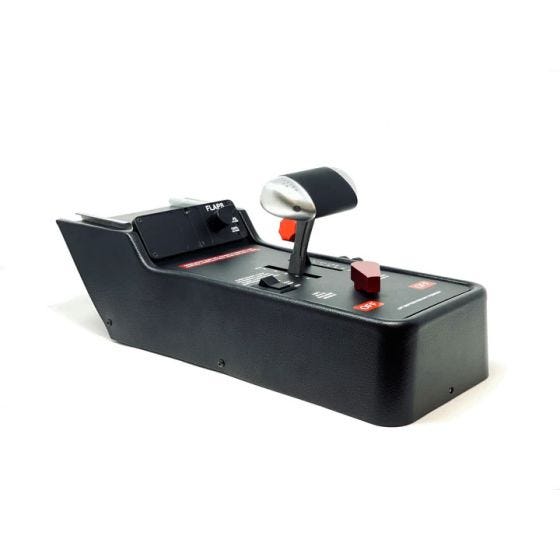
The RealSimGear Cirrus Throttle Quadrant is an exact replica of the throttle quadrant found in the Cirrus SR22 and SR20 aircraft.
Notes
The RealSimGear Cirrus Throttle Quadrant is an exact replica of the throttle quadrant found in the Cirrus SR22 and SR20 aircraft. Every detail has been faithfully re-created to provide the ultimate home flight simulator training experience.
The throttle handle is CNC machined from solid Aluminum and includes a functional TOGA button. The flaps handle is included along with LED indicators for flap position. A three-way rocker switch is provided for the fuel boost/prime pump and the fuel tank select lever allows you to switch between left and right fuel tanks as well as the off position.
PLEASE NOTE: The RealSimGear Cirrus Throttle Quadrant is designed to easily fit the Cirrus Desktop Console or Perspective packages. A telescopic support leg ( sold separately) is required if you plan on attaching the throttle to a GCU stack. The support leg is height adjustable for any desk height and includes the adapter plate to attach the throttle to your existing GCU stack unit.
Compatibility:
• X-Plane 11
• Microsoft Flight Simulator 2020
• P3D
In the box:
• RealSimGear Cirrus Throttle
• USB Cable
The throttle handle is CNC machined from solid Aluminum and includes a functional TOGA button. The flaps handle is included along with LED indicators for flap position. A three-way rocker switch is provided for the fuel boost/prime pump and the fuel tank select lever allows you to switch between left and right fuel tanks as well as the off position.
PLEASE NOTE: The RealSimGear Cirrus Throttle Quadrant is designed to easily fit the Cirrus Desktop Console or Perspective packages. A telescopic support leg ( sold separately) is required if you plan on attaching the throttle to a GCU stack. The support leg is height adjustable for any desk height and includes the adapter plate to attach the throttle to your existing GCU stack unit.
Compatibility:
• X-Plane 11
• Microsoft Flight Simulator 2020
• P3D
In the box:
• RealSimGear Cirrus Throttle
• USB Cable